The Renter-Friendly Smart Home We Built for New-Baby Nights
How I used Tasmota, MQTT, Homebridge, Home Assistant, and a Sensi thermostat to make our apartment safer and easier to move through at night.
Home automation got real for us when we had our first baby.
Not in the "look at my futuristic apartment" way. More in the "my wife is carrying a newborn at 3 a.m. and should not have to hunt for a light switch in the dark" way.
We rent, so I could not go full permanent smart-house mode. No ripping open walls. No fancy panel upgrade. No setup that only makes sense if we own this exact apartment forever. I wanted pieces we could move, reuse, or rebuild later when we eventually have a house.
The job was simple:
- make nighttime walking safer
- avoid extra third-party apps where possible
- keep IoT devices away from the normal network
- use voice control without giving every device its own cloud account
- make the bedroom temperature matter more at night
That last one turned out to be the sneaky hard problem.
The apartment problem
Our bedroom was on one side of the unit. The nursery was on the other side. When the baby was still in the bassinet, that meant a lot of careful movement through dark rooms and hallways.
I wanted my wife to be able to say a command, tap a dashboard, or trigger a room without juggling the baby, a phone flashlight, and light switches.
There was also a practical safety angle. When you are half awake, carrying something precious, and trying not to step on anything, light matters. Automation is not just convenience in that situation. It is one less small thing to think about.
The climate side had a different shape. We have floor-to-ceiling windows on the west side and bedroom side of the apartment. Florida summer does what Florida summer does, and those rooms heat up differently through the day. The thermostat could think the apartment was fine while the bedroom was sitting several degrees warmer.
During the day, the main thermostat reading was usually good enough. At night, the bedroom needed more voting power.
My rules for the setup
I did not want the usual pile of random smart home apps.
Some smart home gear works fine, but the default model is still weird: install a vendor app, create an account, connect the device to the internet, hope the company keeps the servers alive, and hope the privacy policy is not doing jazz hands around telemetry.
For lights and outlets, I wanted:
- local control first
- MQTT support
- no required phone app
- a normal web interface
- hardware I could remove when we move
- devices cheap enough that expanding the setup would not feel precious
That led me to Tasmota.
Tasmota is open-source firmware for ESP-based smart devices, and its MQTT support is exactly what I wanted: a simple command-and-state path over a broker I control.
I ended up using Martin Jerry devices that ship with Tasmota available. I bought a light switch replacement and a pack of controllable outlets. The setup flow was pleasantly boring: power the device, join its temporary Wi-Fi access point, open the web UI, give it Wi-Fi details, and then configure MQTT.
After that, the important move was network placement. These devices live on my IoT network with no internet access. They can talk to the local services they need. They cannot wander off to whatever endpoint a vendor might care about later.
The first version: Tasmota plus MQTT
The control path started small:
Tasmota switch/outlet
  -> IoT Wi-Fi network
  -> MQTT broker in the homelab
  -> custom dashboard
  -> Homebridge
  -> Home app / Siri / HomePod
That is the whole shape.
Each device has a topic and reports its state. To turn something on, my system publishes the right command to the right MQTT topic. To keep the UI honest, the dashboard listens for state updates instead of assuming the button worked.
The boring part is what makes it good. MQTT gives you a shared bus. Tasmota gives you predictable device behavior. The dashboard, Homebridge, and Home Assistant can all sit around that bus without every device needing a separate integration.
The dashboard was an AI side quest
For the first control surface, I had Google Gemini scaffold a small Next.js dashboard.
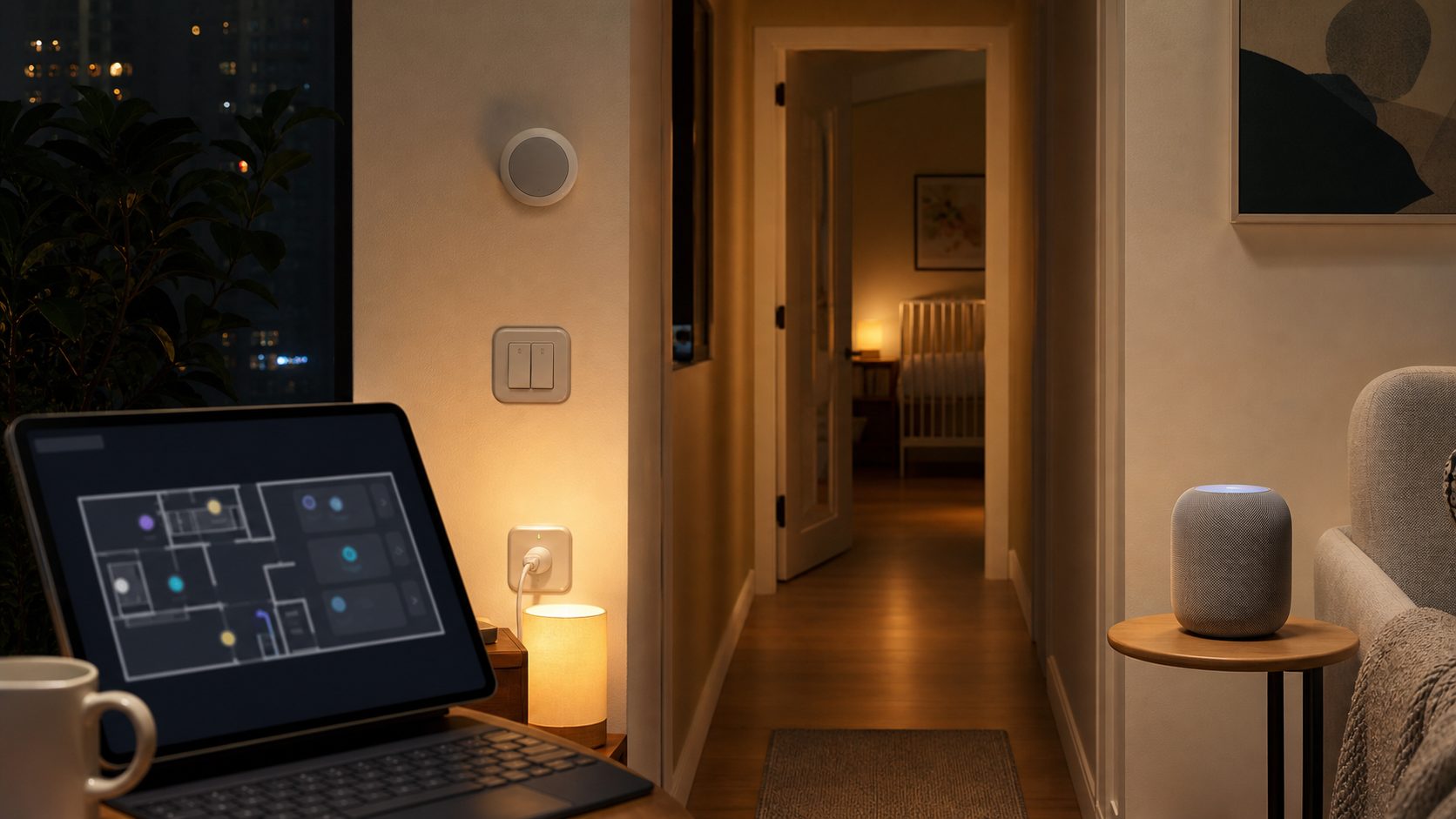
I wanted something visual, not just a list of switches. The rough idea was a floorplan overlay: rooms, devices, and controls in the places they actually live. Each endpoint had a room and device name, and the app talked to the MQTT service running in the homelab.
This is exactly the kind of personal software where AI coding shines. I did not need a startup-grade SaaS product. I needed a local dashboard that matched our apartment and made sense to two tired adults.
The dashboard became the fast manual fallback:
- tap the bedroom lamp
- turn on the hallway path
- see what is already on
- avoid opening individual device UIs
If the automation ever gets too clever, a simple dashboard is how you take back control.
Siri was the next quality-of-life jump
The dashboard was useful, but the real goal was hands-free.
That meant HomeKit, and for this setup the bridge was Homebridge. Homebridge runs on your network and exposes non-HomeKit devices to the Apple Home app through plugins.
For MQTT devices, I used homebridge-mqttthing. It can map MQTT topics into HomeKit accessory types like lights, outlets, switches, sensors, and thermostats.
Once that was paired with the HomePod, the whole setup changed from "I built a dashboard" to "the house responds to normal language."
That was the useful part:
- "turn on the nursery lamp"
- "turn off the bedroom light"
- "turn on the hallway"
- Home app controls from the phone
- voice control from the HomePod
I still had the local dashboard. I still had the MQTT bus. But now the daily interface was Siri.
That is the version of smart home I actually like: local primitives underneath, familiar controls on top.
The thermostat was not as clean
Lighting was the easy win. Climate control was more annoying.
My first attempt was very home-lab shaped: ESP32 temperature sensors and a relay that could influence the thermostat. It worked in the "I can prove the concept" sense, but the physical design was rough. I do not have a 3D printer, so the cases were not something I wanted sitting around long term.
That pushed me back toward a real thermostat with remote sensors.
I landed on the Sensi Touch 2, mostly because it supports Sensi room sensors. The room sensors matter because one thermostat on one wall does not know what the bedroom feels like after a day of west-facing sun.
This is the part where I would not call the setup pure local-first in the same way Tasmota is. I did have to create a Sensi account and use their setup flow. The Home Assistant path also depends on a community integration rather than an official local API.
The integration I started from was the community Home Assistant Sensi integration. It could pull the built-in thermostat data and state, but it did not expose the remote sensor values I cared about.
So I gave Codex the side quest: expand the existing library enough to surface the sensor data, then use that in the dashboard.
That turned the thermostat from a black box into something I could reason about:
- main thermostat temperature
- bedroom sensor temperature
- thermostat state
- cooling mode
- profile selection
- weighted comfort target
The sensor data was the missing piece. Once I could see both readings, I could stop arguing with the thermostat from the wall and start automating around the room that mattered.
The real climate fix: profiles
The thermostat's simple averaging behavior was not enough for our life.
During the day, averaging the main thermostat and remote sensor is fine. At night, it is not. If the living area is cooler but the bedroom is warmer, the average can hide the room we actually care about.
The baby sleep target we were trying to protect was roughly 68-74 F. I did not want the AC running forever, but I also did not want the bedroom drifting warm while the thermostat was proudly reporting a comfortable average from somewhere else.
Home Assistant became the profile layer.
Home Assistant templates are useful here because they let you derive new sensor values from existing entities. Automations can then react to those values and call services.
The profile logic is conceptually simple:
day profile:
  comfort temperature = mostly thermostat reading

night profile:
  comfort temperature = mostly bedroom sensor

if comfort temperature is too warm:
  lower target / cool more aggressively

if comfort temperature is stable:
  stop chasing tiny changes
In practice, I want the system to behave more like a parent than a spreadsheet. Do not overreact to every tiny temperature wiggle. Do care when the bedroom is drifting out of the range we care about. Make the choice visible so I can override it.
The useful controls are now profile-based:
- day mode
- night mode
- bedroom-weighted comfort
- normal average comfort
- manual override
Once night mode is on, the bedroom sensor has more influence. The living room no longer gets to veto the room where the baby is sleeping.
What made this setup work
The biggest lesson is that the stack worked because each layer had a small job.
Tasmota handles the device.
MQTT handles the message bus.
The dashboard handles visual control.
Homebridge handles HomeKit and Siri.
Home Assistant handles richer state and automation.
The thermostat handles actual HVAC control.
That separation matters. If everything lives in one magic app, you get convenience until something does not fit. Then you are stuck waiting for a vendor to expose the one switch, sensor, or profile you need.
With this setup, I can keep adding around the edges:
- a new Tasmota outlet
- a new dashboard tile
- a new HomeKit accessory mapping
- a new Home Assistant helper
- a new climate profile
No single piece has to become the whole house.
What I would change next
The lighting side is in the best shape. Tasmota plus MQTT is simple, cheap, and boring in the best way.
The thermostat side is useful, but it is the part I trust with more caution because it still leans on a cloud-shaped integration path. If I were building a house from scratch, I would want a thermostat and sensor setup with a clearer local API story.
The next things I would improve:
- add better visible status for "automation changed the setpoint"
- log every climate profile action so I can review it in the morning
- add a vacation/away profile that does not fight the night rules
- make the dashboard easier to use from a phone at 3 a.m.
- document every MQTT topic and Homebridge mapping before future me forgets
The setup is not perfect. It is very much a working system built inside renter constraints.
But it solved the real problem.
My wife can move through the apartment at night without fumbling for switches. The lights are easy to control by voice, dashboard, or phone. The IoT devices are not living on the normal network. The thermostat now cares more about the bedroom when the bedroom matters most.
That is the version of home automation I am happy with: not a pile of gadgets, not a cloud-account collection, not a showroom demo.
Just small local systems removing tiny bits of stress from a very real life.